Choose a Route that fits your walk
Open Nearby and inspect the Routes available around you. Read the start, endpoint and distance before committing. A Route that finishes close to your next destination is often more useful than the longest option. Check its direction, especially when your current location is near an endpoint rather than the intended start.
Plan for the complete trip, including getting home. A listed path is not a guarantee of current access: opening hours, building work and local conditions can change. Choose a route you can comfortably follow, and stop if its real-world path is unsuitable. There is no reason to force an inconvenient route for a possible reward.
Start following before you walk
Select the Route and follow the in-game instructions at its starting point. Confirm that the game is actually tracking the Route rather than merely displaying its preview. Check the directional guidance and progress after the first short stretch, while correcting a missed start is still easy.
Continue along the indicated path at a comfortable pace. If progress pauses or your position drifts, stop somewhere appropriate and inspect the Route controls and connection. Repeatedly abandoning and restarting makes it harder to identify the problem. First establish whether the issue is tracking, direction or reaching the next part of the path.
Watch for Zygarde Cells
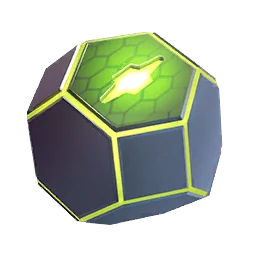
Zygarde Cells may appear during a Route. Watch the map for their distinctive appearance and tap a Cell when you see one; simply walking past is not a collection method. The Zygarde Cube shows your collected total, which is a better progress record than trying to remember every animation from a busy walk.
A Route does not promise a Cell every time. Do not treat a missed reward as proof that your account is broken or that you need an unofficial workaround. Keep the collection goal modest and combine the walk with catching or another useful activity. That way, a Route without a Cell still contributes to your session.
Finish deliberately at the endpoint
When approaching the end, check the map and Route panel before closing the game. Follow the completion prompt and confirm the activity has finished. Physically arriving near the final stop and completing the in-game Route are related steps, but you should verify the latter rather than assume it happened automatically.
Make a quick review part of the routine: collected Cells, any pending Route interaction and the completion result. Then decide whether another nearby Route fits your remaining time. Extending a walk impulsively can leave you with a long return journey, low battery or a session that becomes a chore instead of a repeatable habit.
Work toward Zygarde’s next form
Use the form-change screen for your Zygarde to inspect the currently required resources. Keep Cell collection separate from Candy planning so that you know which requirement is actually holding you back. Avoid spending resources based solely on a screenshot from an older guide; review your own Pokémon before confirming a change.
A practical long-term approach is to keep a short list of comfortable Routes and rotate them into ordinary walks. Record progress periodically rather than after every few steps. Consistent, manageable sessions are easier to maintain than attempting to finish a large collection goal at once, especially when individual Route rewards are not guaranteed.
Sources & further reading
Game details can change. Check the linked official sources and the current in-game information. Reviewed: Oct 4, 2026.