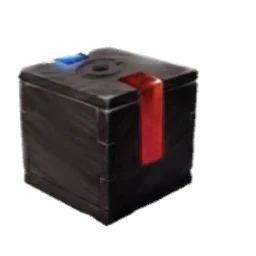
Understand the connection before transferring
Pokémon HOME provides a supported destination for eligible Pokémon sent from Pokémon GO. The Mystery Box is connected to qualifying transfers to HOME or the supported Let’s Go games. You can use the HOME route without treating a Nintendo Switch game as a prerequisite for this method; begin with the official mobile app and account instructions.
A GO-to-HOME transfer is one-way. The Pokémon does not return to Pokémon GO if you change your mind. Choose something expendable and review the exact individual, including its favourite status, moves and collection value. Never test the connection with your best raid attacker, a sentimental catch or a Pokémon you still need for a task.
Link the correct accounts
Follow the Pokémon HOME connection flow in Pokémon GO’s settings and sign in to the intended Nintendo account. Check the displayed destination before continuing. If you already use HOME, make sure this is the account holding your collection rather than a second account created accidentally during setup.
Review the transfer screen, including eligibility and GO Transporter Energy. Select only what you intend to send, confirm the operation and complete the receipt in HOME as instructed. Do not keep repeating transfers if you are uncertain whether the first one arrived. First inspect both applications and resolve any pending receipt or account mismatch.
Prepare the Mystery Box session
Inspect the Mystery Box in your Item Bag. The standard help instructions describe a three-day wait before another qualifying transfer can reactivate it; follow the timer displayed in your own game, particularly during an event. A box still counting down is not fixed by sending a succession of valuable Pokémon.
Before opening an available box, free Pokémon storage and collect enough balls and berries for a focused catching session. Choose a time when you can actually play. Activating the item and immediately becoming busy wastes the opportunity to respond to encounters, even if the activation itself worked correctly.
Catch Meltan with a clear goal
Open the box and watch for Meltan encounters during its active period. Catch at a comfortable pace and inspect your results afterward. If you are working toward Melmetal, track Candy separately from your search for a strong individual. A session can improve one goal without completing the other.
Do not assume Shiny Meltan is available every time the box can be opened. Shiny availability is tied to selected events, so check a current official announcement if that is your primary objective. An ordinary box session without an announced Shiny opportunity should be planned for catches and resources rather than an unavailable reward.
Troubleshoot the specific blocked step
Separate connection issues, transfer eligibility, transporter energy, HOME receipt and Mystery Box cooldown. Each belongs to a different part of the process. Note the exact screen and message before looking for a fix; a successful transfer followed by an unavailable box calls for a different check from a failed account sign-in.
For repeat sessions, keep the routine simple: check the cooldown, choose an eligible spare Pokémon, review the destination, finish the transfer and prepare before activation. Rechecking these steps is especially useful after a long break. It protects your collection and makes the process repeatable without relying on unofficial services or account sharing.
Sources & further reading
Game details can change. Check the linked official sources and the current in-game information. Reviewed: Oct 4, 2026.